PSO2 NGS Character Creation Custom 10
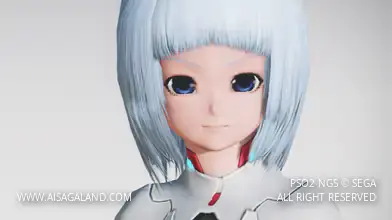
A cute marine aesthetic. This preset highlights a playful blue outfit topped with a shark jacket, bringing a fun oceanic vibe to your daily ARKS routine.
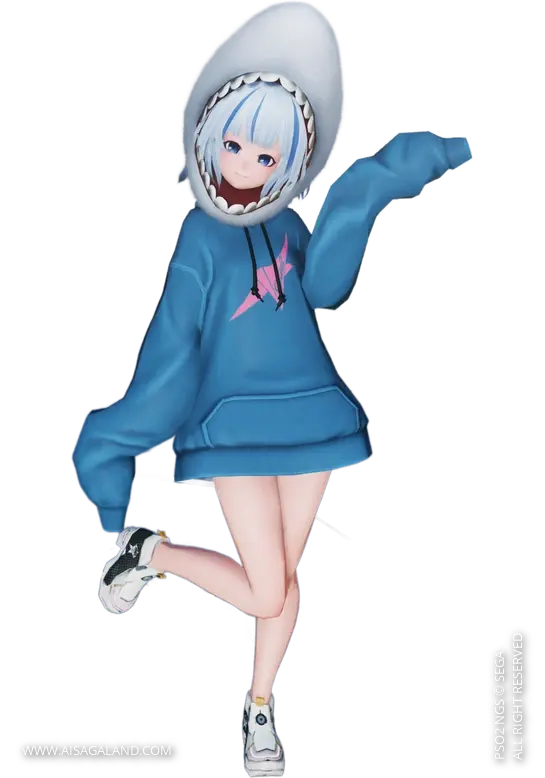
Just a heads-up, this recipe was originally made in PSO2 Classic! You can definitely still use it in NGS, but some items might look a bit off. Feel free to tweak and adjust it however you like!
This Character Recipe can be used in PSO2 New Genesis or PSO2 Classic game, but the slider instructions use the interface / UI from New Genesis game, here is the recipe info for Custom Character #10. Good luck, happy creation and hope it can help you :)
Video Preview
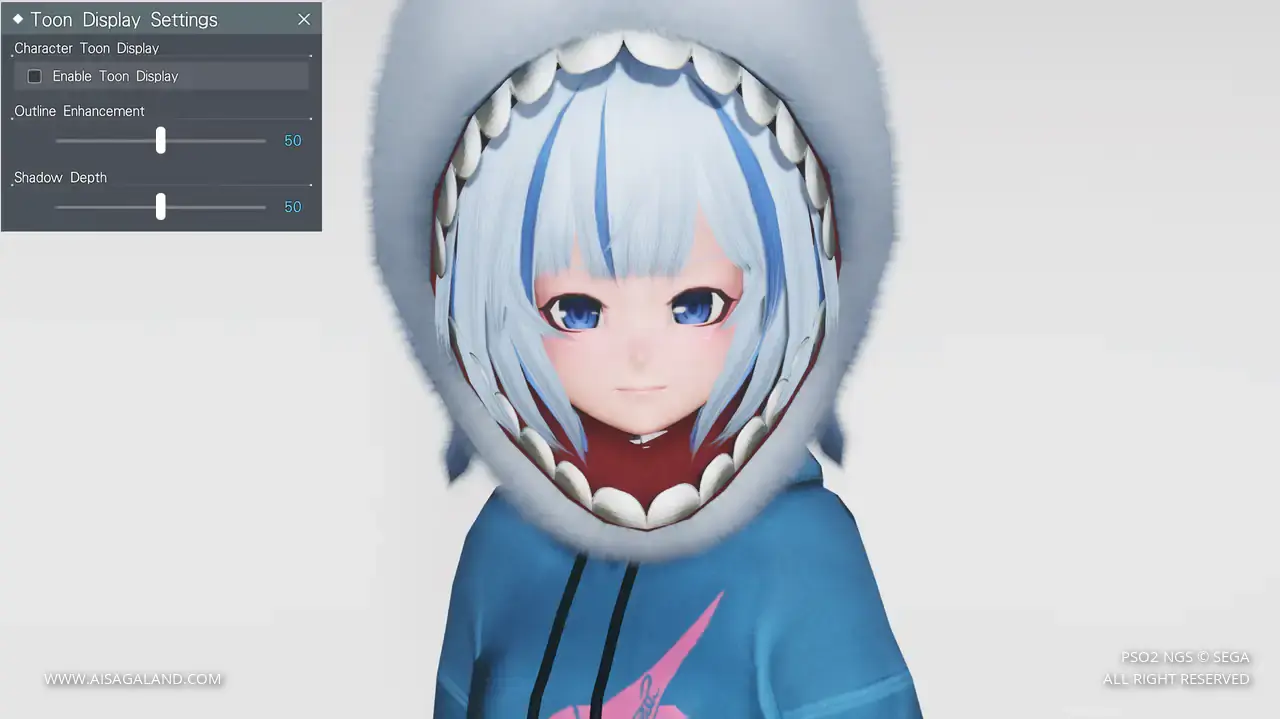
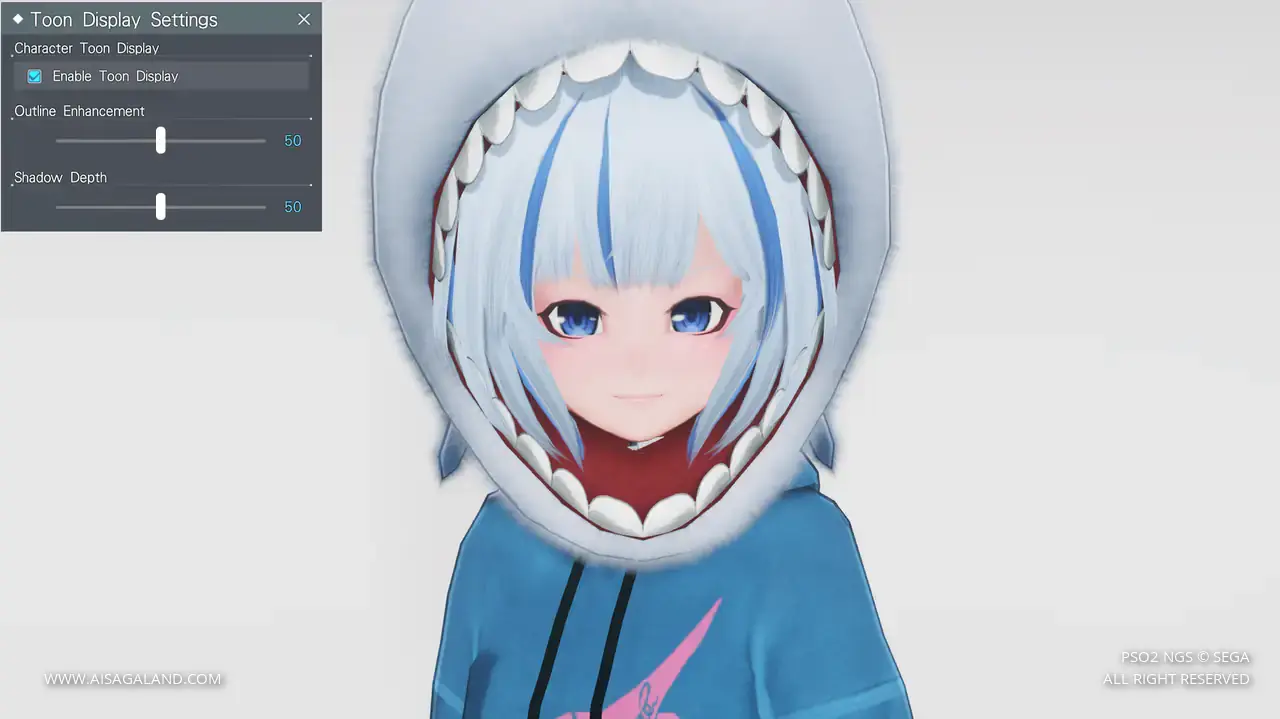
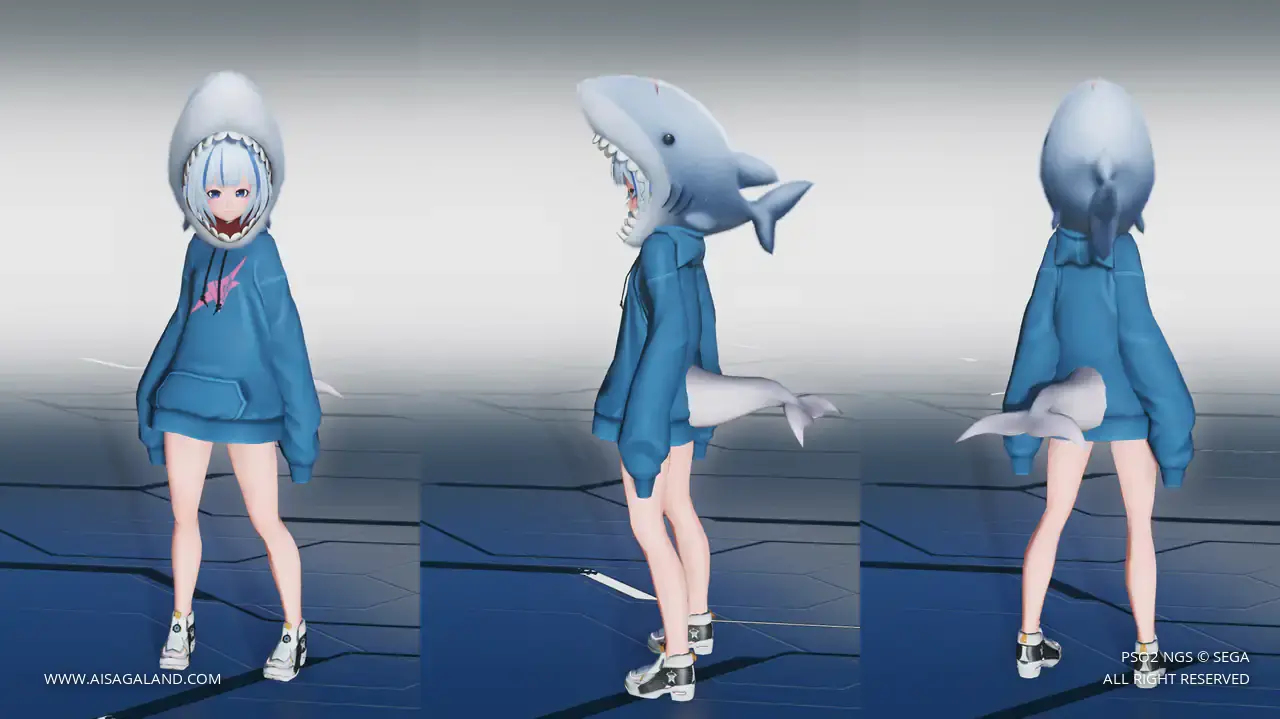
Slider Parameters
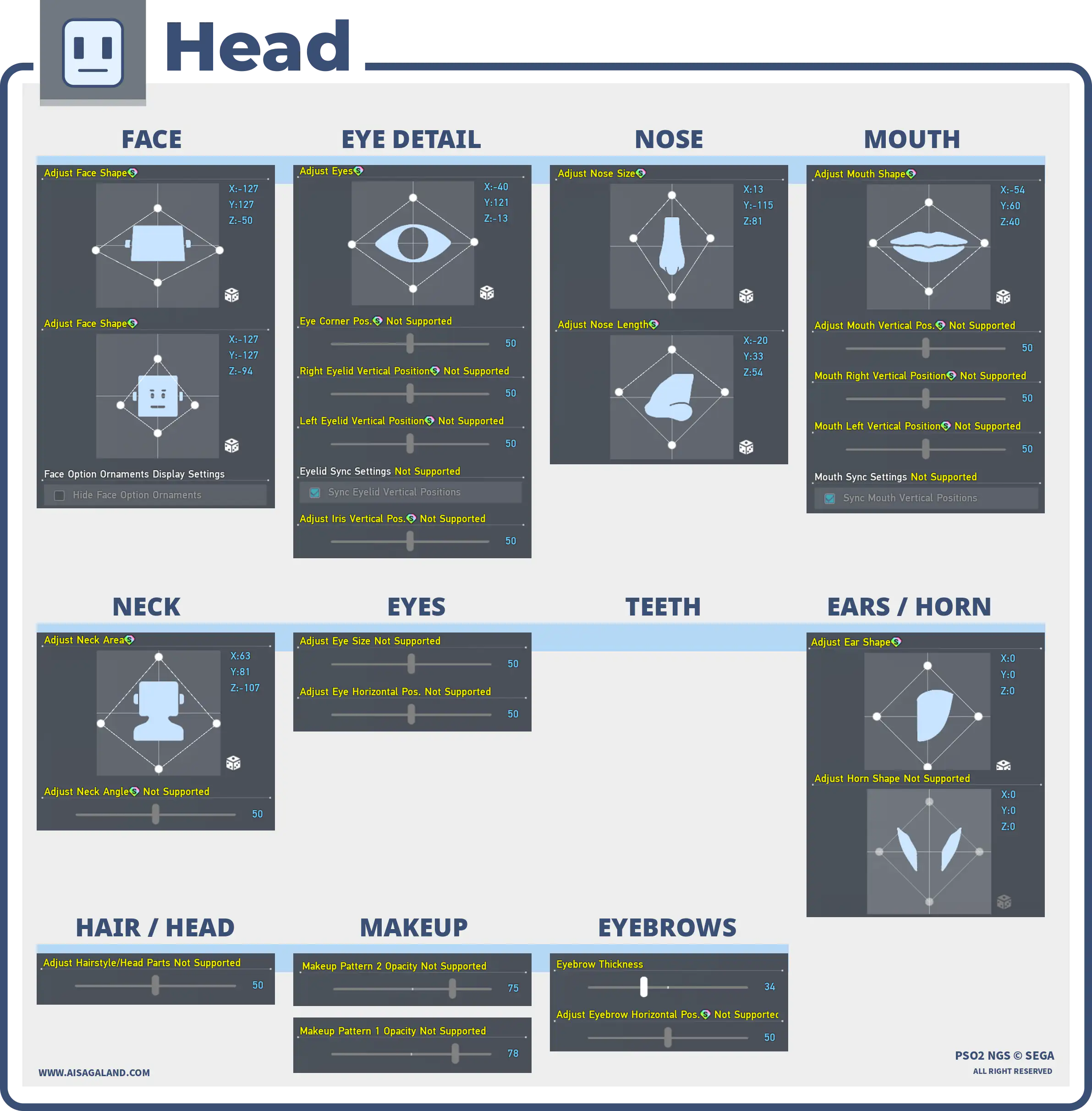
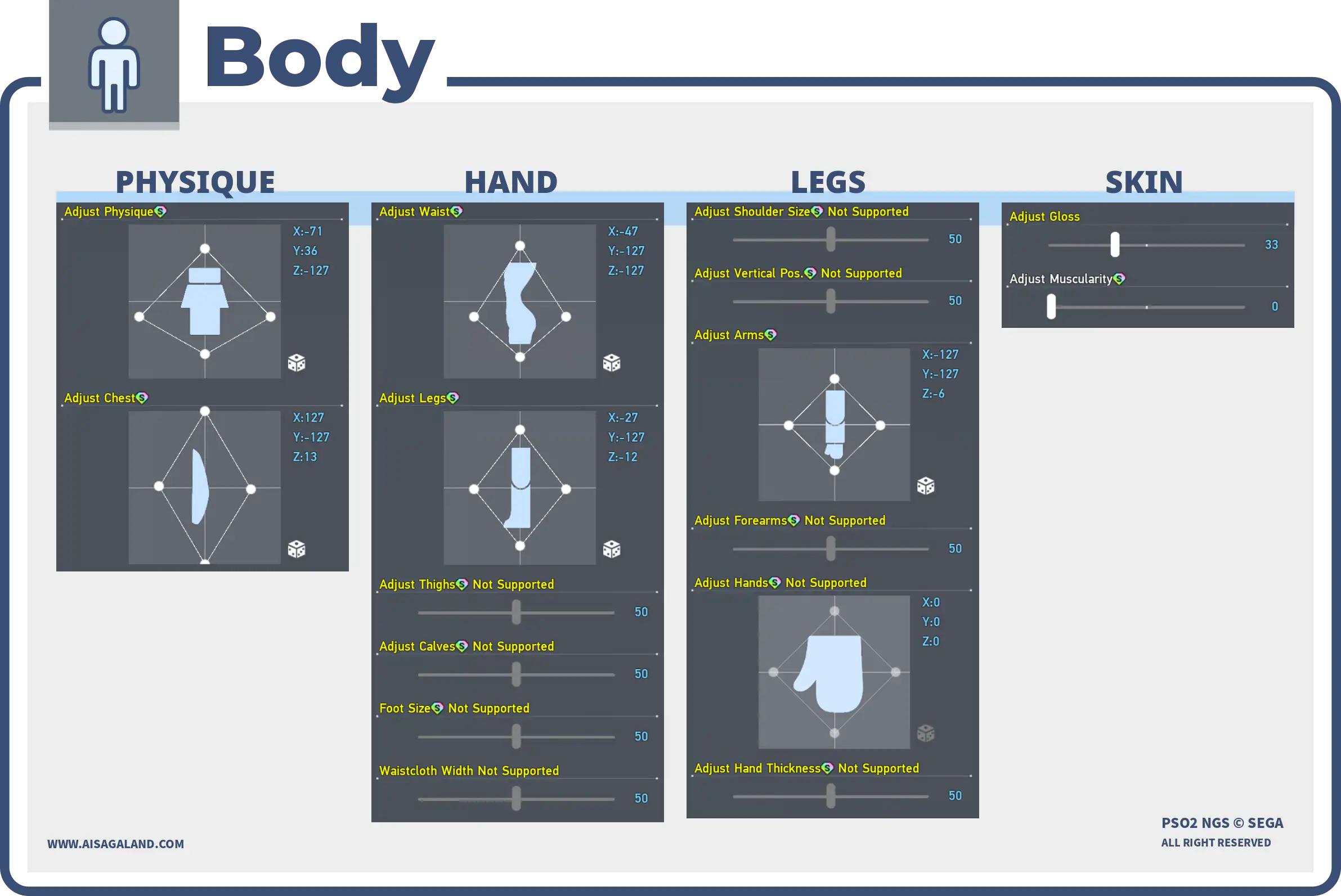
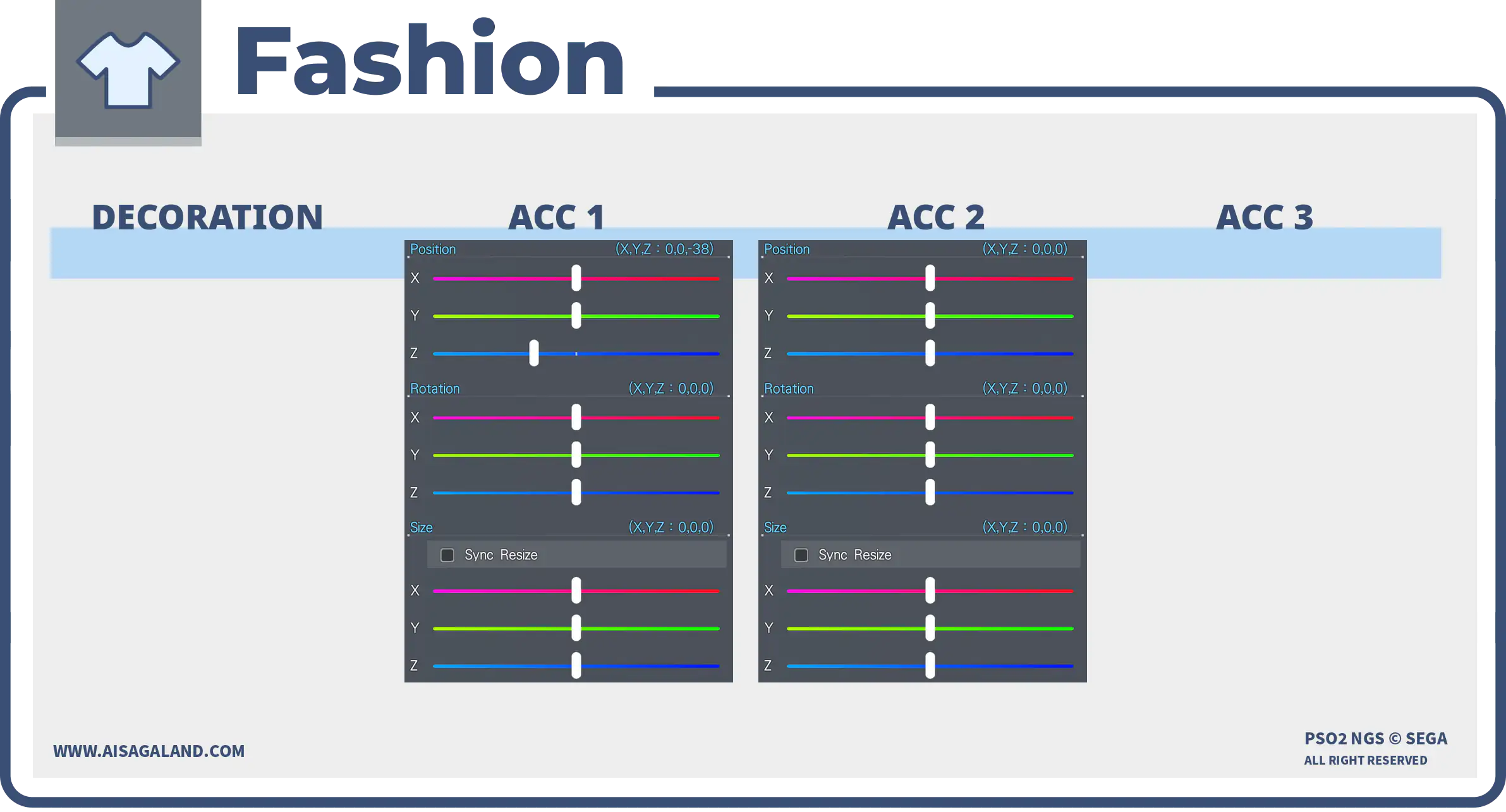
Parts Installed
| Category | Preview | Src | Item Name |
|---|---|---|---|
| Faces |  | Animeデフォルメ顔 | |
| Eyes | | Illustration Eyes B (L)イラスト風瞳B 大 | |
| Eyebrows | | Base Eyebrows PタイプP | |
| Eyelashes | | Sharp Eyelashes: Blackシャープまつげ 黒 | |
| Makeup / Facepaint 1 | | Natural Makeup EナチュラルメイクE | |
| Makeup / Facepaint 2 | | Illustration Makeupイラスト風メイク | |
| Hairstyles | | Sophis Hairソフィスヘアー | |
| Outerwear | | MFDB Hoodie [Ou]MFDBパーカー[Ou] | |
| Basewear | | ARKS Sweatshirt F: Snow [Ba]アークスジャージーF雪[Ba] | |
| Accessory 1 | | Dolphin Tail: Whiteイルカのしっぽ 白 | |
| Accessory 2 | | Shark Headシャークヘッド | |
| Accessory 3 | | Spiky Teeth Mask - Laughギザッ歯マスク 笑 | |
| Sticker | | Ritual Sticker AリチュアルA |
Color Settings
| Position | Preview | RGB Value |
|---|---|---|
| Hair 1 | 184, 212, 253 | |
| Hair 2 | 78, 124, 227 | |
| Eye | 33, 79, 199 | |
| Skin | 246, 193, 182 | |
| Sub Skin | 225, 8, 0 | |
| [Ou] Color | 46, 102, 123 |
Item Source Reference
Arks Cash Scratch.
Star Gems Scratch.
Genesis Points.
FUN Scratch from PSO2 Classic.
PSO2 Classic or legacy source.
Limited scratch, event, campaign, or special code.
Mission Pass reward.
Bonus package
Recipe Download
Character Recipe File
⚠️ These character files (.fhp, .fnp, .fdp, etc.) are just the "vanilla" face presets. What you see in the BASE FACE PREVIEW is exactly what you get: raw face data with no makeup and no body sliders. To finish the look, just match it with the item recipe detailed in this article, or just have fun customizing it yourself.